Bypass Regional Blocks
Stable access to the Animus Network using Zapret
Guide featured by fury-quin
Step 1: Download Zapret
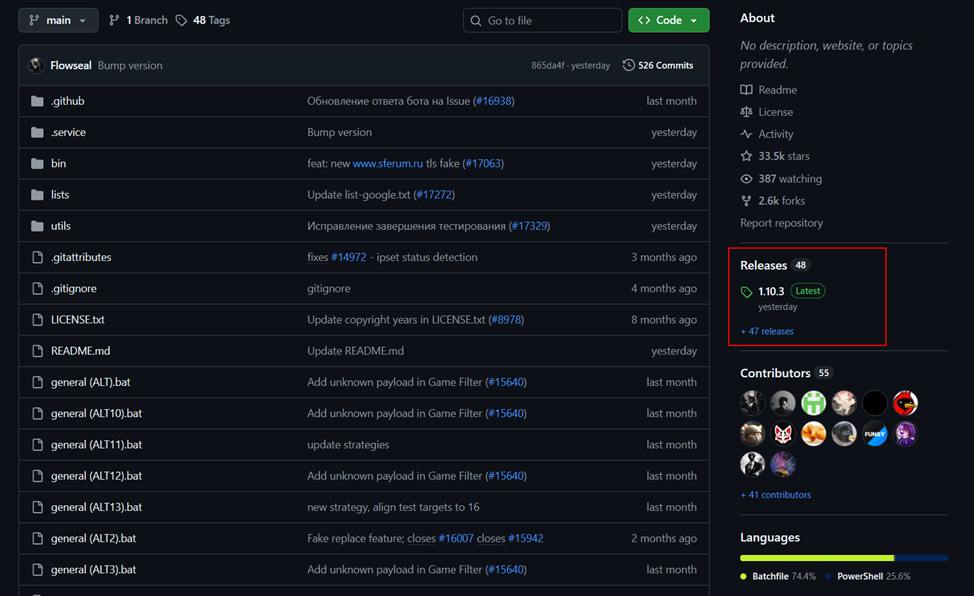
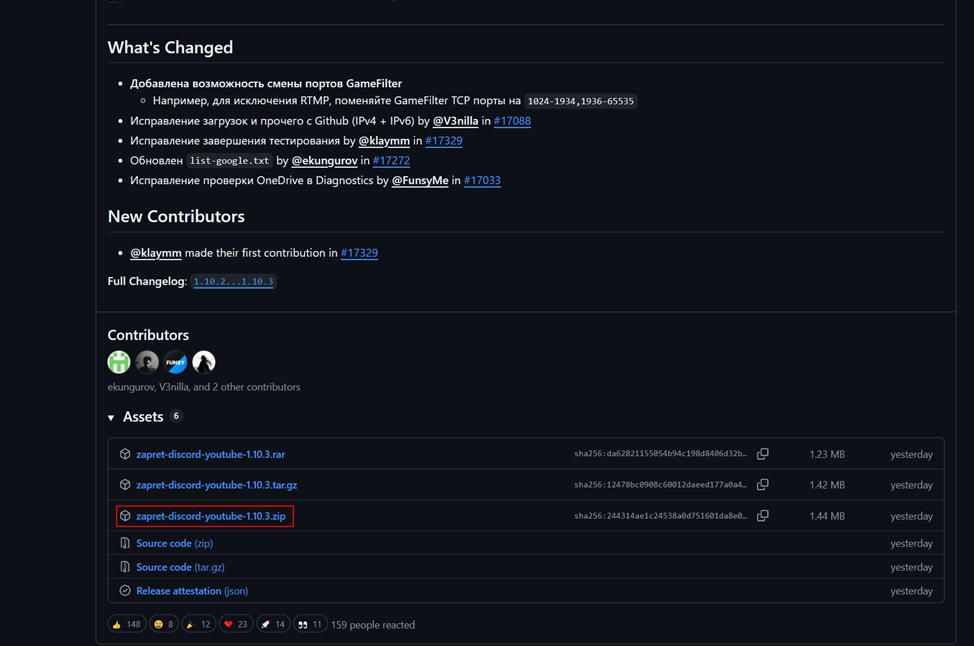
Head over to the GitHub releases and download the latest
zapret-discord-youtube archive.
Step 2: Run service.bat (first time)
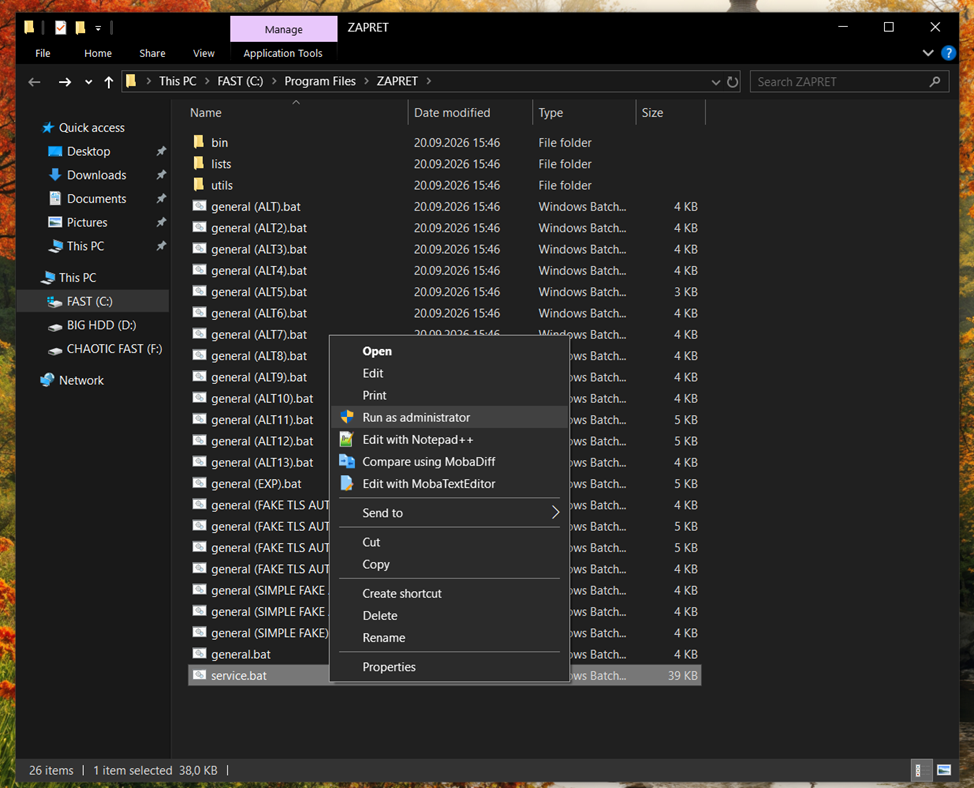
Unpack the archive, open the extracted folder, right-click
service.bat and choose Run as administrator.
Wait until it finishes, then close the window.
Step 3: Add animusnetwork.com to the list
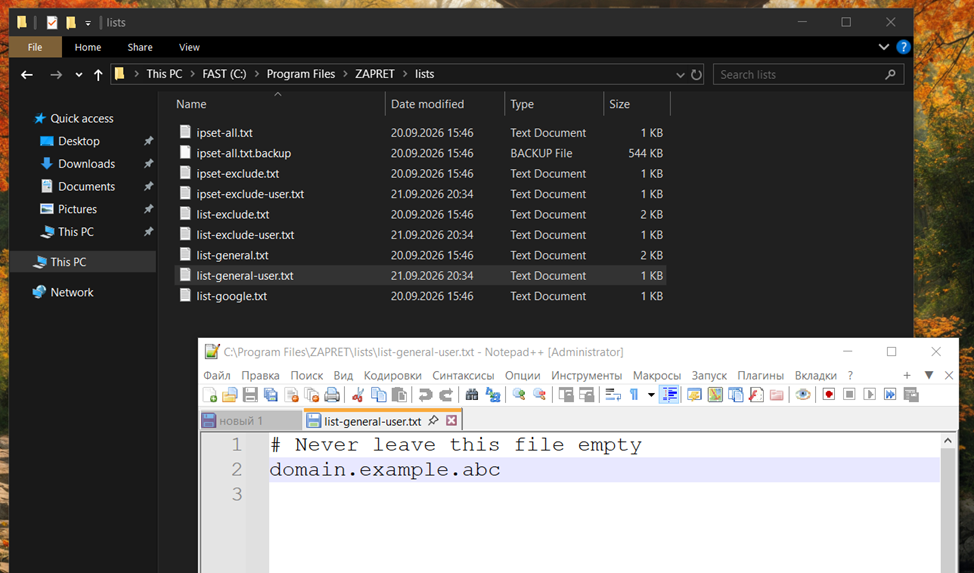
Open the lists folder and edit
list-general-user.txt with a text editor.
Replace domain.example.abc with animusnetwork.com and save the file.
Step 4: Find the best bypass strategy
Run service.bat again and follow the next steps as shown in the screenshots below.
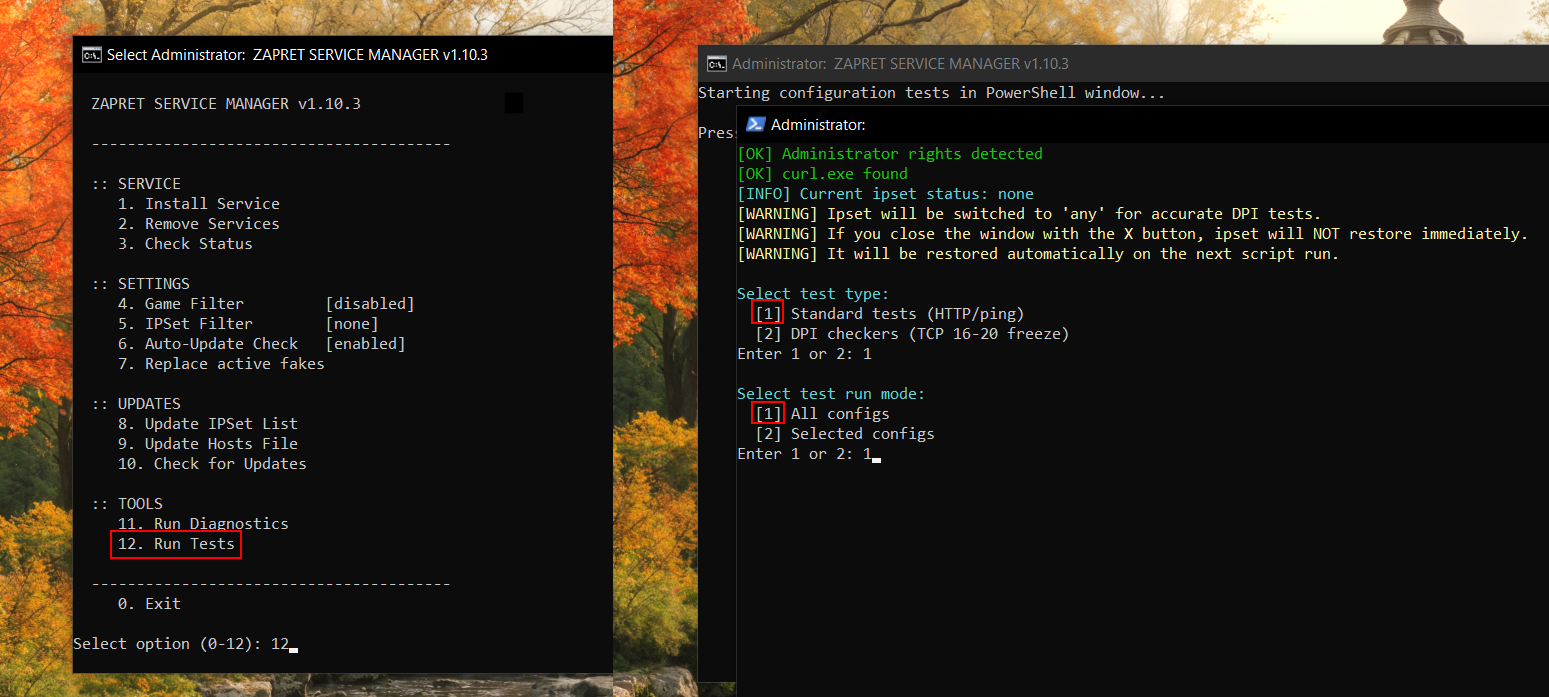
It will now look for the best strategy to bypass the blocks — this can take up to 10 minutes. Make sure any other VPN or proxy is turned off during this step.
Step 5: Remember the result
Once it's done, you'll get the strategy that works best for your network.
Remember it and close the window.
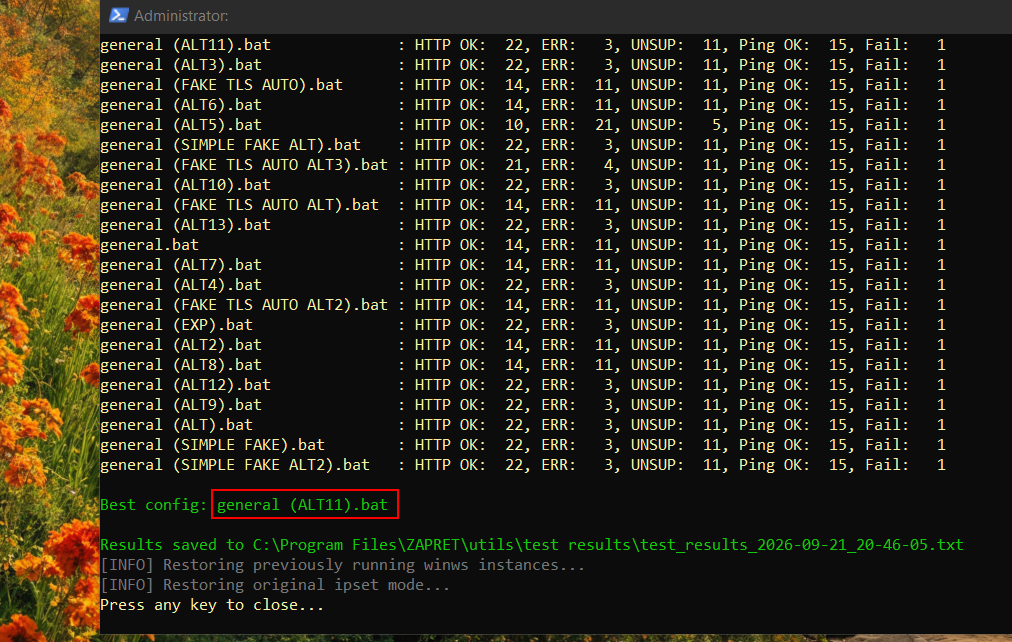
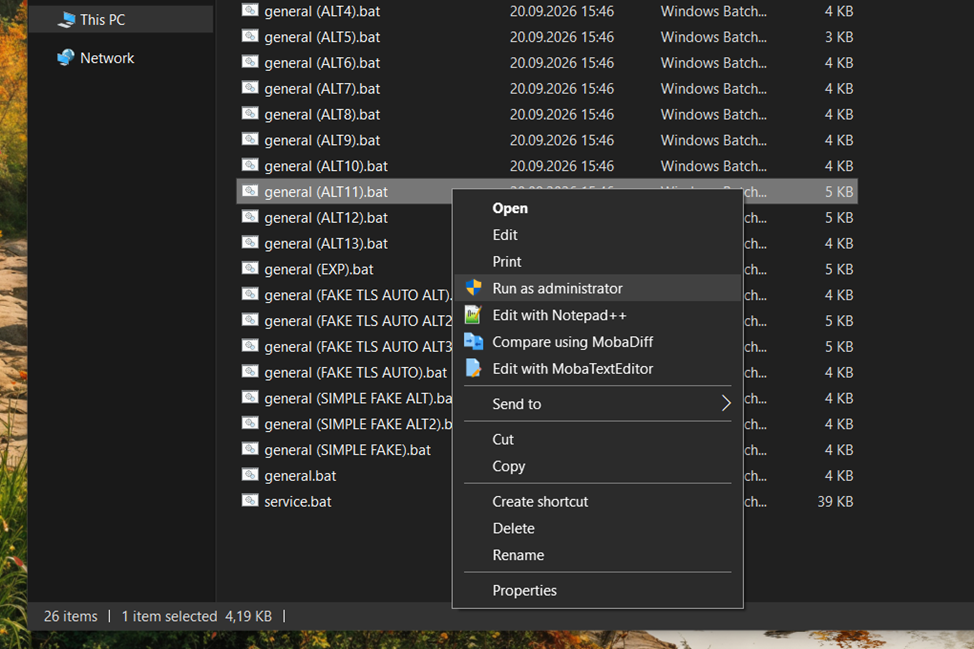
Step 6: Launch the strategy
Navigate to the zapret directory, find the strategy that matches
the result you got, and run it as administrator.
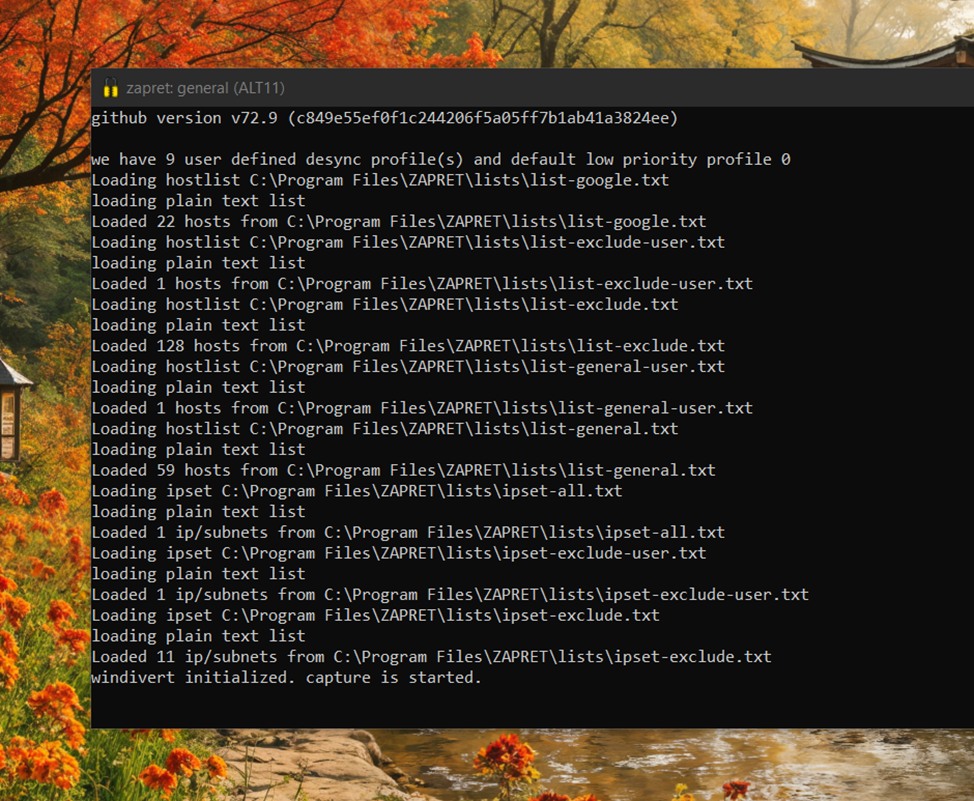
In that case, disable Zapret and try again.